
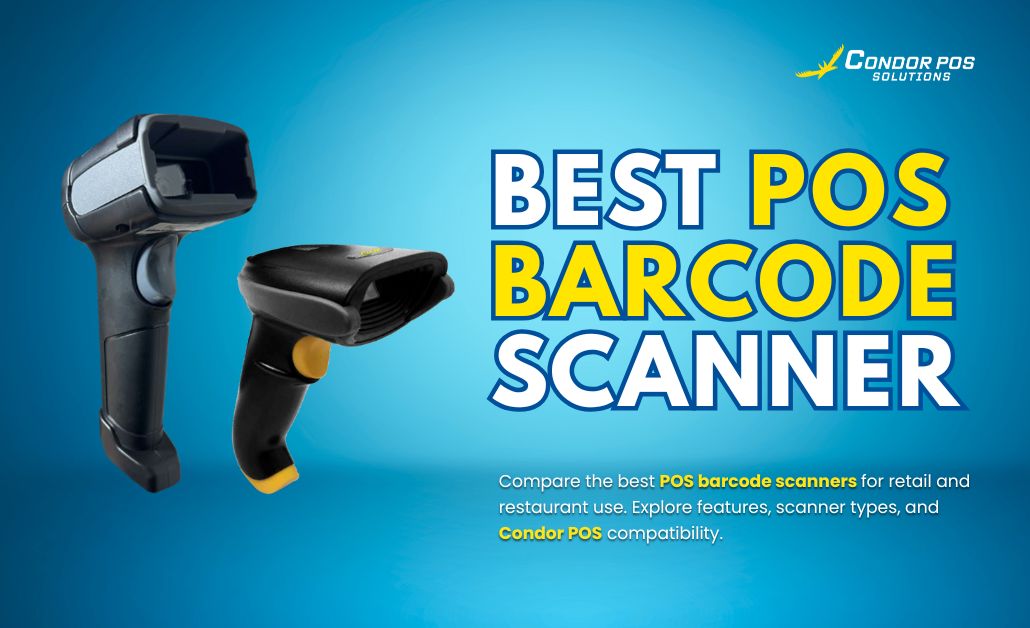
A POS barcode scanner is a critical part of the checkout process for modern businesses. It allows products to be scanned instantly, pulling accurate pricing and inventory information directly into the POS system. By eliminating manual data entry, barcode scanners reduce errors, speed up customer transactions, and support smoother daily operations.
For retail stores, grocery shops, pharmacies, warehouses, and logistics operations, barcode scanners play a major role in improving speed, accuracy, and overall efficiency. This guide helps business owners understand what a POS barcode scanner is, the different types available, key features to consider, and how to choose the best barcode scanner based on business type and POS system compatibility especially when using Condor POS hardware.
What Is a Barcode Scanner in a POS System?
A barcode scanner in a POS system is a device that reads barcodes and automatically inputs product data into POS software. This data usually includes product SKUs, prices, and inventory levels.
Barcode scanners help businesses identify items accurately during sales and inventory processes. This ensures consistent pricing and reliable stock records. Depending on your setup, scanners can connect via USB, Bluetooth, or wireless connections. They can also integrate with cloud-based POS software systems.
Types of POS Barcode Scanners
Handheld Barcode Scanners
- The most common type
- Used by pointing at barcodes and pressing a trigger
- Ideal for retail counters, inventory checks, and mobile scanning
Presentation (Hands-Free) Scanners
- Stationary scanners for hands-free operation
- Items are passed in front of the scanner
- Best for high-volume checkout counters, such as supermarkets
Wireless or Bluetooth Scanners
- Provide mobility and flexibility
- Ideal for large stores and stockrooms
- Sync with tablets and mobile POS terminals
2D and QR Code Scanners
- Scan both 1D barcodes and 2D codes, including QR codes
- More versatile and future-proof
- Useful for mobile payments, digital menus, and loyalty programs
Mobile POS Scanners (Camera-Based)
- Use tablets or smartphones to scan barcodes
- Good for startups, food trucks, and pop-up stores
- Lower hardware cost with basic scanning needs
Key Features to Look for in a POS Barcode Scanner
Compatibility
The scanner should work seamlessly with your POS software and hardware. This ensures accurate syncing and smooth transactions.
Scan Speed and Accuracy
High read rates reduce queues and minimize checkout errors. This is especially important in busy retail and grocery environments.
Durability
Shock-resistant and dustproof scanners are ideal for high-traffic stores, warehouses, and logistics operations.
Connectivity Options
Choose between USB, Bluetooth, or wireless options based on your store layout and workflow.
Ergonomic Design
A comfortable design helps staff scan efficiently during long shifts.
Range and Angle Flexibility
Scanners that read from different distances and angles improve checkout speed and usability.
Barcode Scanner Use Cases by Industry
Retail Stores
- Fast checkout for high SKU volume
- Integrated with product inventory and pricing
Grocery Stores
- High-speed presentation scanners for bulk scanning
- Integration with scales and weight-based pricing
Pharmacies
- High-precision scanners for small medicine barcodes
- Improves inventory accuracy and prescription handling
Warehouses and Logistics
- Rugged, long-range scanners for picking and tracking
- Sync with stock and warehouse management tools
Food Trucks and Pop-Up Stores
- Wireless or mobile scanners for compact setups
- Compatible with tablet-based POS systems
Barcode Scanner Maintenance Tips
- Clean scanner lenses and sensors regularly to maintain scanning accuracy
- Apply software and firmware updates to ensure POS compatibility
- Use proper cable management or docking to prevent physical damage
- Store scanners correctly when not in use to extend hardware lifespan
Conclusion
The best POS barcode scanner depends on your business type, transaction volume, and POS system compatibility. A reliable scanner speeds up checkout, reduces manual errors, and keeps inventory data accurate.
Before purchasing, business owners should test barcode scanners for comfort, scanning speed, durability, and seamless POS integration. With Condor POS Solutions, businesses in the Philippines can deploy barcode scanners designed for efficient, scalable, and reliable operations.